Ten minutes, once a week
Do not check the portal daily. Daily velocity is noisy, and a coach who reacts to noise makes worse decisions than a coach who reacts to nothing. Once a week, before you write the next week's sessions, work top to bottom through four panels: summary, alerts, needs attention, then two or three individual profiles.
The weekly summary
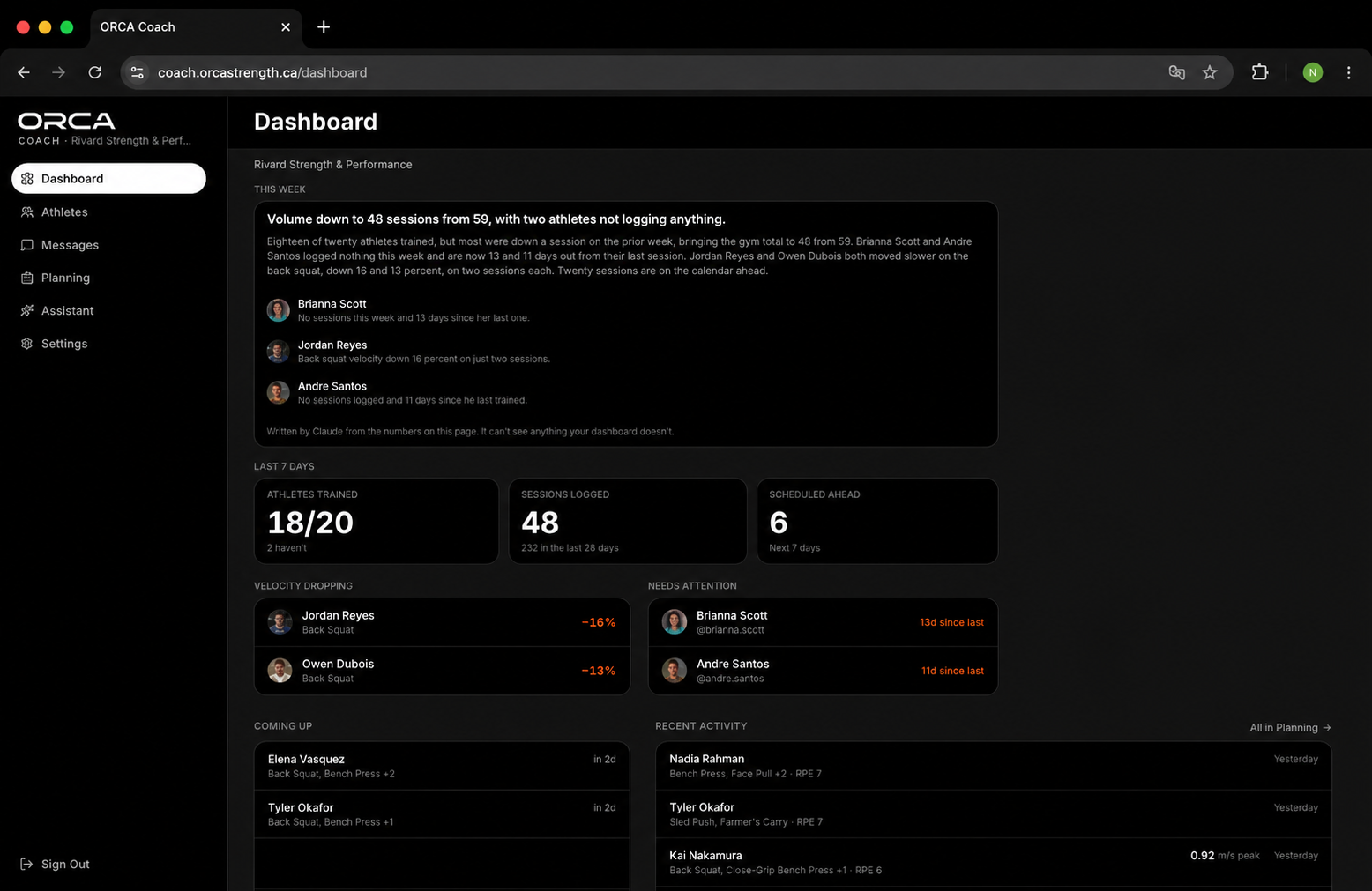
The top row answers one question: did the week you planned actually happen? Sessions completed against sessions assigned, total reps recorded, athletes active.
A compliance gap is a programming problem, not an athlete problem. If a group completed 60 percent of assigned work, the block is too long, too heavy, or scheduled at the wrong time. Fix that before you interpret a single velocity number, because incomplete data will read as fatigue.
Velocity alerts
Alerts fire when an athlete's velocity at a familiar load moves outside their own normal range. They are direction and magnitude, nothing more — the interpretation is yours.
| Alert | Most likely cause | Your move |
|---|---|---|
| Down 5–10%, one session | Ordinary daily fluctuation | Nothing. Note it. |
| Down 5–10%, two or more sessions | Accumulated fatigue | Hold load, tighten velocity-loss cutoffs for a week. |
| Down more than 10%, repeated | Overreaching, or life outside the gym | Deload the athlete and have the conversation. |
| Up more than 5%, sustained | The block is working; loads are now too light | Re-estimate their max and raise prescription loads. |
| Erratic, no pattern | Inconsistent intent, or sensor mounted differently | Coach the intent; check the mount. |
The last row matters more than coaches expect. Most "weird data" is a technique or intent inconsistency the sensor is honestly reporting.
Needs attention
This list is your triage queue, and it mixes three different problems that need three different responses:
- Not training — no sessions logged. This is a contact problem. Message them from the portal, today.
- Trending down — training, but declining. This is a programming problem. Adjust their next week.
- Outperforming the prescription — quietly ready for more. This is the one most coaches miss, and it is where you gain time on a competitor's roster.
Aim to empty this list every week. If it never empties, the roster is bigger than your current session structure supports and you need groups, not more attention.
The athlete profile
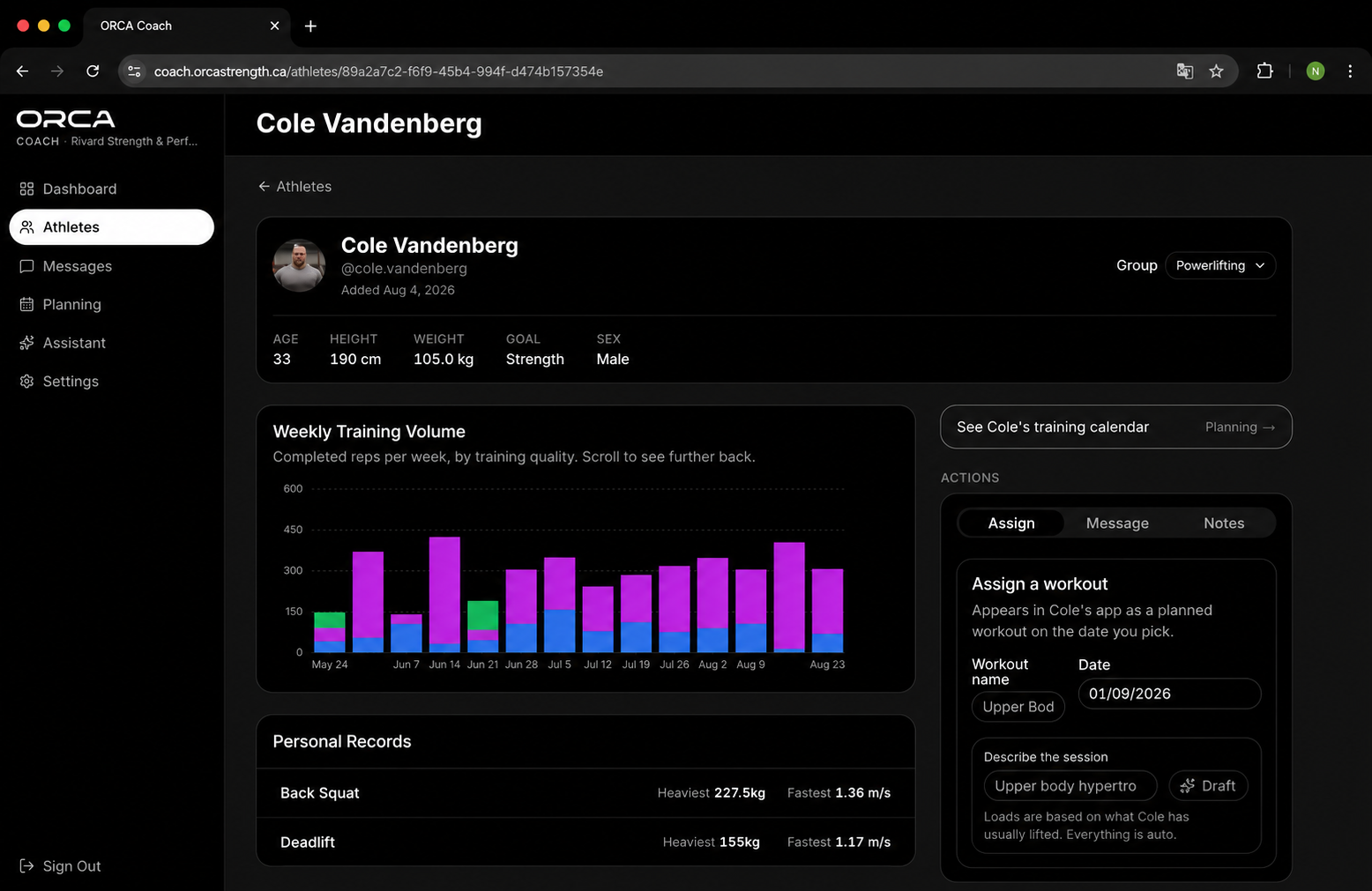
Open a profile when the dashboard tells you to, not out of curiosity. Three things to read, in this order: the weekly volume trend, the personal records, and the velocity history on their reference lift.
Volume plus falling velocity is fatigue. Falling volume plus falling velocity is disengagement or something outside training. Rising velocity with flat volume is the best signal in the app — that athlete should be tested and moved up.
The Coach Assistant
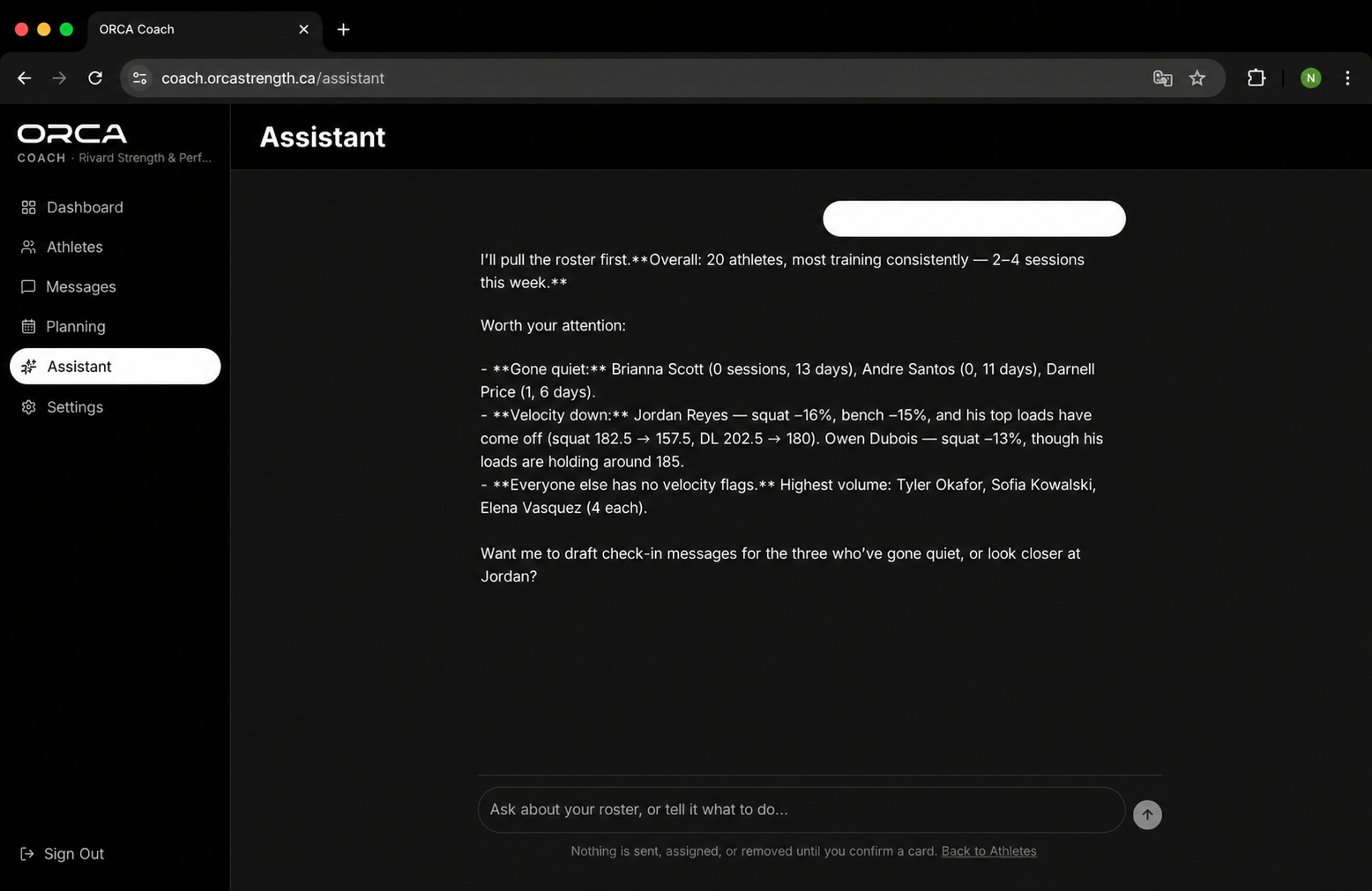
The Assistant reads the same roster data you just read and answers questions in plain language: who dropped this week, who has not trained, who is ready to test, draft a message to the three athletes trending down.
Use it as a second pass, not a first one. Look at the dashboard yourself so you know your roster, then ask the Assistant for what you would otherwise not have time to check — the athlete who is quietly fine but has not progressed in five weeks.
What to deliberately ignore
A dashboard is only useful if you decide in advance what it does not get to change. For the first two months, ignore all of the following:
- Single-session velocity swings under 5 percent.
- Cross-athlete velocity comparisons. Two athletes' numbers are not comparable; each athlete's own history is.
- Peak velocity on grinding lifts, and mean velocity on the classical lifts.
- Estimated 1RM changes of less than 2.5 percent.
Every one of these will tempt you into a change that a week of data would have told you not to make.
See this dashboard with your own roster in it.
A Coach Portal seat comes with any coaching setup. We will walk your roster structure with you before you buy anything.